
LLMTray
Run local AI on Mac, from the menu bar. An MLX local LLM GUI for macOS: the models run on your own GPU.
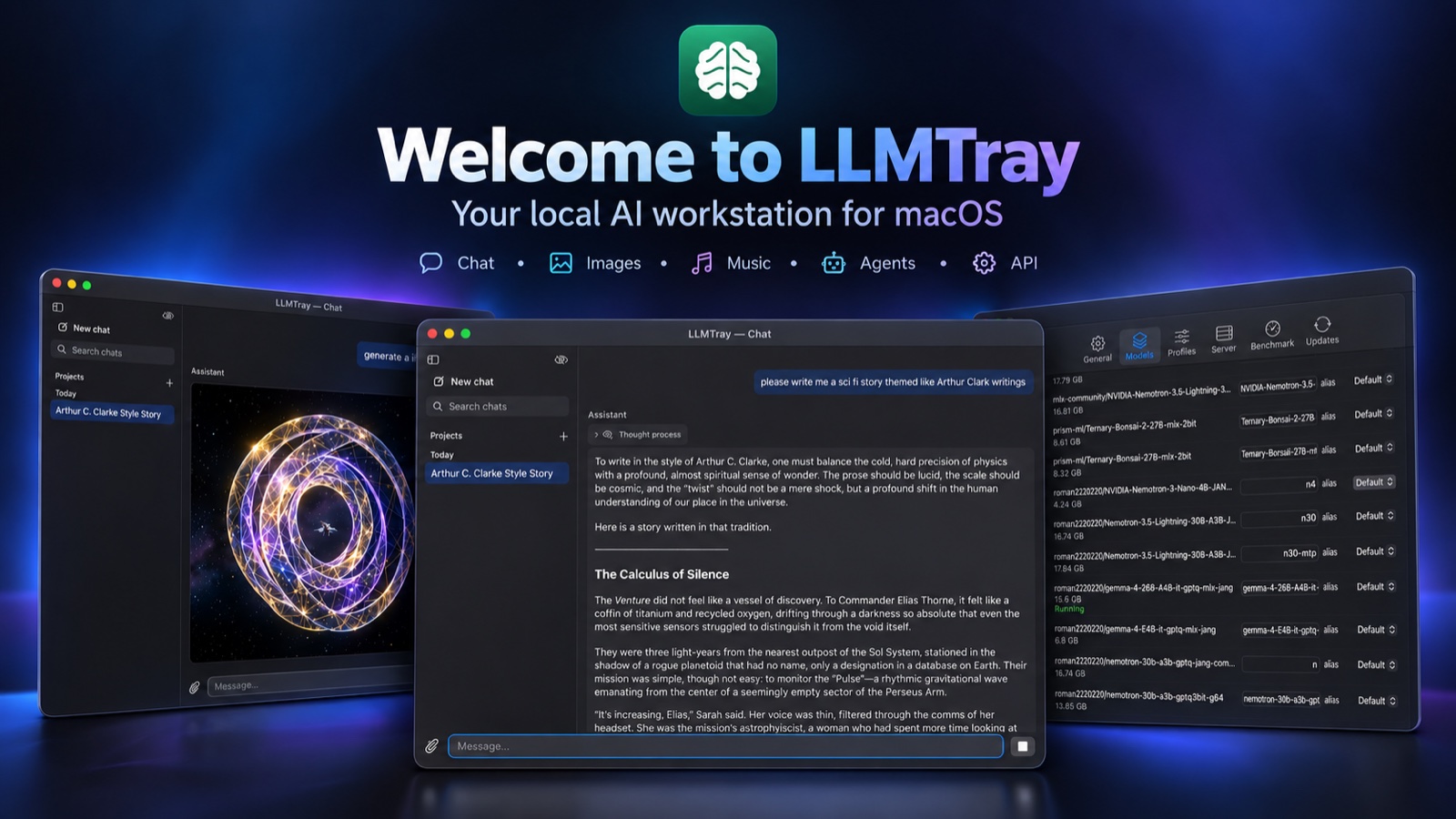
Run local AI on Mac
Pick a model and LLMTray starts it on your Mac's GPU with mlx-lm. There is no terminal, no cloud account and no API key. The models, and what you give them, stay on the machine. Only the optional web tools (search, news, Wikipedia, weather) send their queries out, and only when the model calls them.
MLX local LLM GUI for macOS
Models from Hugging Face
Browse and download MLX models with real progress (speed, ETA, pause/resume) and a size check per file. It also works with the models folder you already have from LM Studio.
Chat with tools
Tabs, projects with their own instructions, reasoning you can fold away, and tools the model can call: web search, news, Wikipedia, weather, a calculator and more.
Tuned per model
Profiles per model cover sampling, KV-cache quantization and speculative decoding (MTP drafters), plus a benchmark that auto-tunes prefill and concurrency.
Lives in the menu bar
The icon shows real state: green while anything generates, including external clients, and orange or red under thermal pressure. A live server log is one click away.
OpenAI-compatible local API on Apple Silicon
LLMTray serves http://localhost:8765/v1, which is OpenAI-compatible. A client can name a model in each request, and LLMTray switches to it (without one, the loaded model answers). A setting decides whether an outside client may switch models at once, must ask first, or gets the loaded one. Network access is off by default and can be enabled for your local network.
curl http://localhost:8765/v1/chat/completions \
  -H "Content-Type: application/json" \
  -d '{"model": "<a model from /v1/models>", "messages": [{"role": "user", "content": "Hello"}]}'
Local AI coding agents on Mac
Point any OpenAI-compatible coding agent, editor extension or script at the local endpoint, and the model reading your code runs on the Mac. The model's profile fills in its sampling defaults for external clients too. Switch between a chat model and a coding model without restarting anything.
export OPENAI_BASE_URL=http://localhost:8765/v1
export OPENAI_API_KEY=local   # any value: the local API doesn't check it
Local image generation and editing on Mac
Generate images in the chat
Ask for a picture, and the chat model writes the prompt for Z-Image Turbo or FLUX.2 klein, running locally. Our GPTQ-quantized checkpoints are published on Hugging Face.
Edit your photos locally
Attach or generate an image and ask for a change, such as "make it night, keep everything else". FLUX.2 klein edits it on your Mac.
Music with sung lyrics
ACE-Step 1.5 makes a song from a style and lyrics the model writes. Choose turbo for a fuller mix or sft for clear vocals.
Creator mode
Before an image or song is made, check the prompt, model and settings. It then starts on its own after a short countdown. Make a variant afterwards, or tweak it and try again.
Reviews
5.0 out of 5 · 2 reviews
★★★★★ Anonymous
Installed it on an M1 Mac and I’m happy with it so far. Translation into other languages, coding, and working with Excel spreadsheets are all excellent, and it’s fast. Image generation leaves something to be desired, though, because my hardware isn’t powerful enough. 5 stars, keep it up!
★★★★★ Roman
nice app
Quick start
- Download LLMTray and drag it to Applications.
- Open it. LLMTray is signed by IPSupport LLC and notarized by Apple, so it opens like any other app.
- Click the brain icon in the menu bar and pick a model (or download one from Hugging Face in the app). The local server starts on its own, now and at every launch.
- Image and music generation are optional. Enable them in Settings, and their models are downloaded then.
Building from source
For contributing, or to run the latest code:
git clone https://github.com/ipsupport-llc/llmtray.git
cd llmtray
swift build
.build/debug/LLMTray